How do You Convert Podcast Episodes into Social Media Videos?

As a creator, do you like listening to podcasts and want to turn podcast transcripts into videos? This blog delves into podcasts and videos and explains why transforming podcast episodes into social media videos is critical.
What Is a Podcast and How Does It Differ from Video?
A podcast is an episodic audio format for storytelling, interviews, or educational content. Its strength lies in its portability—ideal for multitasking audiences. Video, however, combines audio with visuals to create immersive, emotionally resonant experiences. While podcasts build deep listener connections, videos dominate social media algorithms, prioritizing dynamic, visually engaging content.
For example, platforms like TikTok and Instagram Reels reward short-form videos with higher visibility, making video adaptation essential for podcasters aiming to expand their reach.
Why Convert Podcast Episodes into Social Media Videos?
Algorithm Advantage: Social platforms reward video content with higher visibility.
Engagement Boost: Visuals (e.g., facial expressions, infographics) enhance storytelling.
Repurposing Efficiency: Maximize the value of existing podcast content by repackaging it for multiple platforms.
Accessibility: Captions and visuals make content inclusive for hearing-impaired viewers or those watching without sound.
How to Convert Podcasts into Social Media Videos
Step 1: Record High-Quality Source Material
Start with studio-grade audio and video recordings.
Step 2: Identify Key Moments
Use AI transcription tools to pinpoint highlights:
Quotable soundbites: Sharp insights or actionable advice.
Emotional peaks: Humor, debates, or dramatic pauses.
Audience hooks: Questions like "Have you ever wondered…?" to spark curiosity.
Step 3: Edit with AI-Powered Efficiency
Platforms like Riverside.fm and Boolvideo streamline editing:
Text-based editing: Delete filler words or rearrange clips by editing the transcript.
Auto-captions: Generate synchronized subtitles in one click.
Multi-track control: Adjust audio levels or remove crosstalk.
Step 4: Add Visual Storytelling Elements
B-roll and stock footage: Use AI tools like Boolvideo to match visuals with dialogue.
Branded templates: Maintain consistency with custom intros, fonts, and colors
Step 5: Optimize for Platforms
Resize videos for TikTok (9:16), Instagram (4:5), or YouTube Shorts (16:9). Include platform-specific hooks (e.g., "Wait for the twist!") to align with trending formats.
Boolvideo: AI-Driven Script-to-Video Conversion
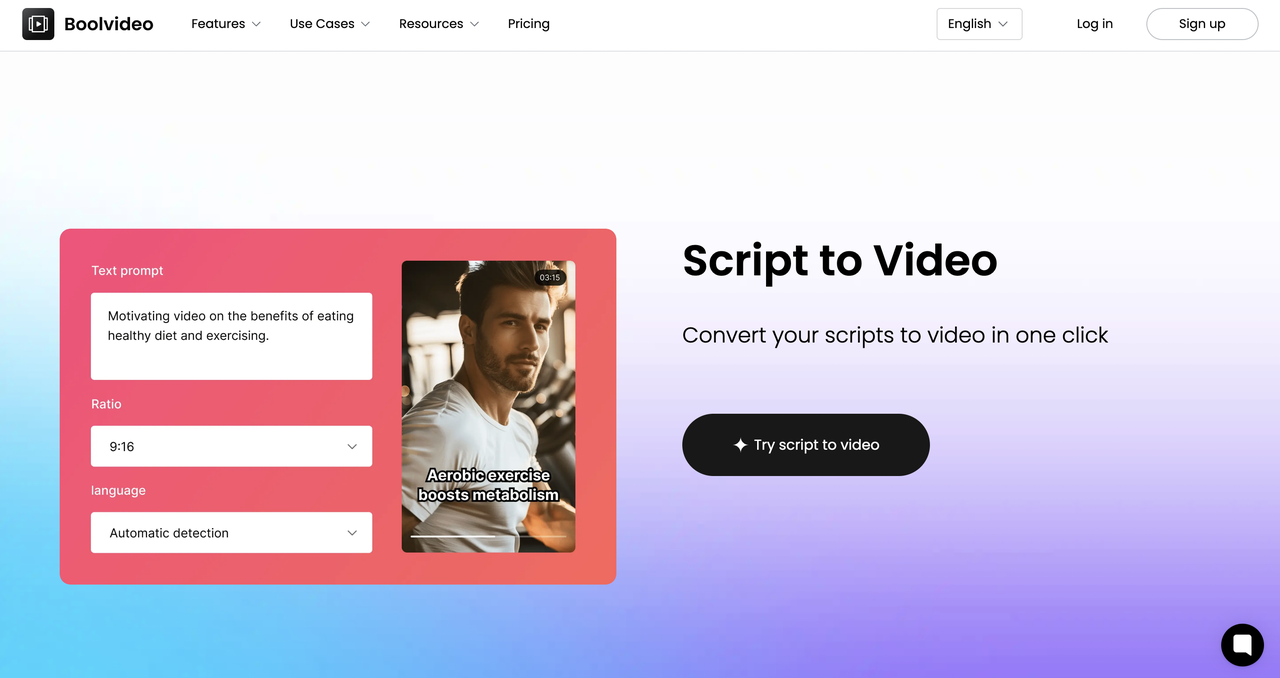
Boolvideo revolutionizes content creation with its Script-to-Video feature, designed to help podcasters and marketers convert audio episodes into engaging social media clips effortlessly. By leveraging AI, the tool eliminates manual editing hurdles while ensuring professional quality.
🚀 Here's how it works:
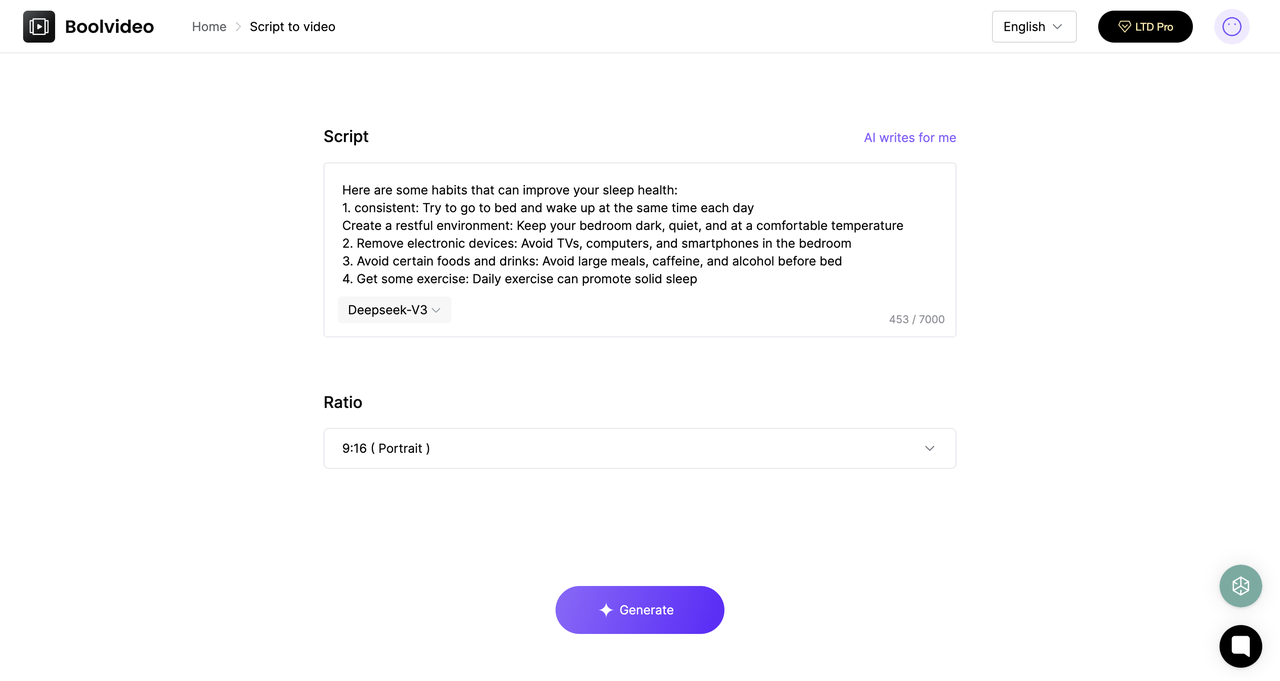
Step 1: Upload Your Podcast Script or Transcript
Paste your text or upload a podcast transcript. Boolvideo's AI analyzes keywords, tone, and structure to suggest visual elements.
Step 2: Customize with AI-Generated Assets
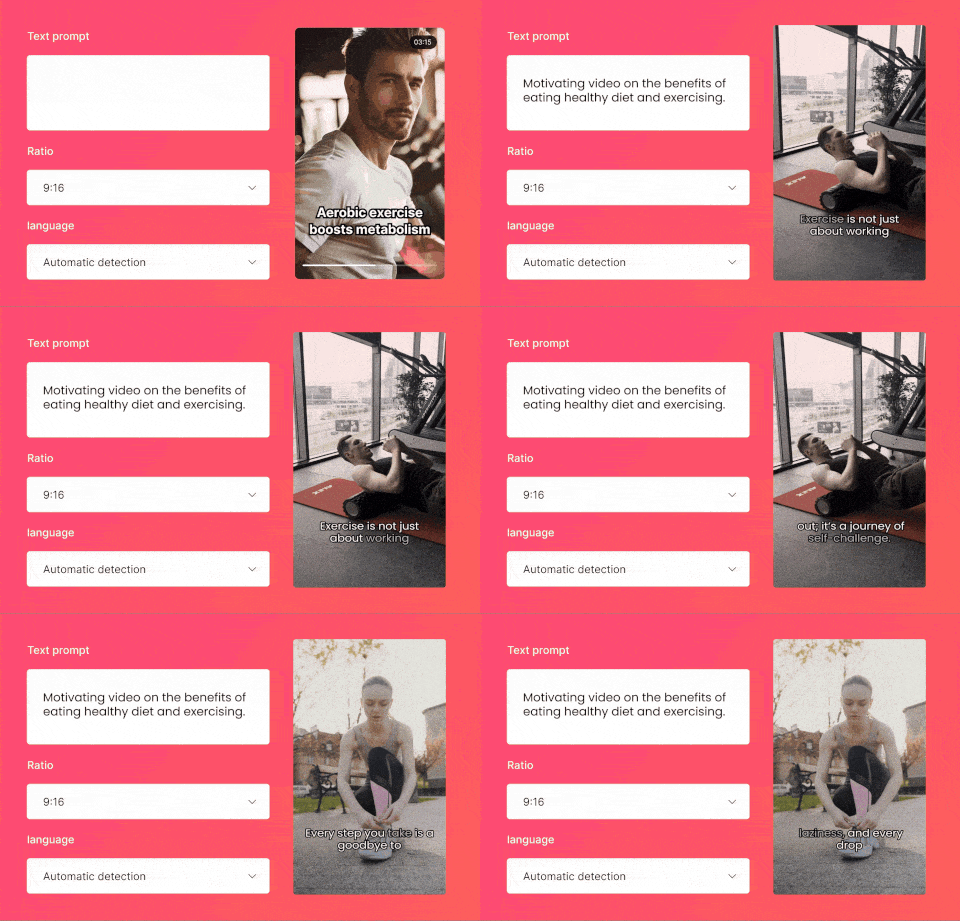
Automatic scene matching: The tool pairs dialogue with relevant stock footage, animations, or branded templates.
Smart captions: AI generates synchronized captions, adjusting font and timing for readability.
Voiceover integration: Convert text to lifelike speech or sync with your podcast audio.
Step 3: Edit and Export
Refine clips using Boolvideo's intuitive editor:
Trim segments.
Add transitions or background music.
Export in formats optimized for Instagram Reels, YouTube Shorts, or LinkedIn.
🚀 Why does Boolvideo stand out?
Time savings: Reduce editing from hours to minutes.
Consistency: Pre-set brand kits ensure uniformity across clips.
Platform-ready exports: Tailor aspect ratios and captions for each channel
Pro Tips for Viral-Worthy Clips
Hook early: Use bold text or a provocative question in the first 3 seconds.
Leverage trends: Add trending sounds or hashtags (e.g., #PodcastClips).
CTAs: End with "Follow for more" or "Full episode in bio".
Conclusion
Converting podcasts into social media videos is no longer optional—it's a strategic necessity. By Boolvideo's AI-driven editing, creators can efficiently repurpose content, maximize reach, and dominate algorithm feeds. You can also explore other features of Boolvideo and experience the fun of creating AI-generated videos!
FAQ
Q: What are the biggest challenges when manually converting podcasts to videos? A: Manual conversion involves time-consuming tasks like editing footage, syncing audio with visuals, and creating captions. Creators often lack resources for professional editing or struggle to maintain consistency across platforms.
Q: Can I customize videos to match my brand's style using Boolvideo? A: Absolutely! Boolvideo offers:
Brand kits: Save your fonts, colors, and logo for one-click consistency.
Custom templates: Design reusable templates for intros, outros, and lower-thirds.
AI-powered suggestions: The tool recommends visuals and animations that align with your brand's aesthetic. This ensures every video feels uniquely yours while maintaining a professional look.
Accelerate your video production
10X with Boolvideo